指南更新于

MiniMax H3 提示词指南 从 T2VA 到 Ref2VA 的提示词示例

MiniMax H3 Max 提示词指南:按手上的素材选模式,填好每个字段,直接粘贴。

这份 MiniMax H3 提示词指南从你手上的素材讲起。没有静图用 T2VA,一张开场静图用 I2VA,一张结尾静图用 L2VA,开场加结尾两张静图用 FL2VA。这四种都要先写一行对齐指令,再按固定顺序写三个字段。要拿额外的图片、片段或音频当参考,就用 Ref2VA,它改用六段结构。每种模式都附一条可直接复制的 MiniMax H3 提示词,贴进 MiniMax H3 Max 视频生成器即可。

  • T2VA、I2VA、FL2VA、L2VA 与 Ref2VA
  • 可直接复制的 MiniMax H3 提示词示例
  • 三个字段;Ref2VA 用六段
  • 依据 MiniMax 公开的提示词指南

TLDR

1. 动笔前先数静图。没有图用 T2VA。一张作开场用 I2VA。一张作结尾用 L2VA。开场加结尾用 FL2VA(MiniMax 视频提示词写作指南)。

2. 三个字段按这个顺序写:integrated_multimodal_description、overall_soundscape、non_diegetic_music(同一份指南;GitHub 副本)。

3. 关键帧模式要先写首行对齐指令,空一行,再写三个字段。T2VA 跳过这一行。

4. MiniMax H3 Max 返回带原生立体声的短片,最长 15 秒,分辨率最高 2K(MiniMax H3 发布帖;开源规格)。

5. 写完后把整段贴进 MiniMax H3 Max 视频生成器,并附上该模式要求的静图。

MiniMax 视频提示词写作指南(Hugging Face)

核心要点

  • 模式由手头素材决定,不是凭感觉选。

    你实际有的静图决定 T2VA / I2VA / FL2VA / L2VA;选错会把画面锁在时间轴上错误的时刻(提示词写作指南)。

  • 三个字段各司其职。

    画面、动作、切镜、说话人和台词写在 integrated_multimodal_description。房间底声、脚步、非言语的人声写在 overall_soundscape。角色听不到的配乐写在 non_diegetic_music。

  • Shot 1 不加时间码。

    后续镜头才在片长内写递增的切入时间。Shot 1 加时间戳是指南里点名的失败写法(指南 §4.2)。

  • 运镜写成句子,不要堆标签。

    在镜头里写运动类型 + 幅度 + 速度:「The camera pushes in with small amplitude at slow speed…」(指南 §4.3)。

  • 时长数字必须对齐。

    公开输出是整数秒的 4–15 秒;末帧行上的 S.SS 必须等于你这次生成的长度(平台视频指南;提示词写作 SKILL)。

  • 上手:

    把 Prompt 1 或 Prompt 2 贴进视频生成器。还缺静图?先在图像页做好,再回到视频。

按手头静图选模式

MiniMax 公开的提示词写作指南把四种文本/关键帧形态拆开写(Hugging Face 指南;GitHub base-en.txt)。平台文档把同一家族写成文生视频、首末帧图生视频,以及另一条全参考路径(视频生成指南;GitHub README)。Ref2VA 是另一种格式:六段,不是三字段关键帧正文。后面的 Ref2VA 部分专门讲它。

只有一句话T2VA在三个字段里写完整条时间轴。不要写对齐行。I2VA/FL2VA/L2VA 的首行会要一张你没附上的 Picture 1,开场(或结尾)就锁不住。
一张应当作首帧的静图I2VA首行把 Picture 1 钉在 0.00s / Shot 1,正文再顺着时间往后写。写成 L2VA 会把这张静图当结尾。短片会往那里抵达,而不是从那里开始。
一张应当作末帧的静图L2VA首行把 Picture 1 钉在 S.SS / 最后一镜,正文再往那里收。写成 I2VA 会把静图冻在 0.00s。结尾不受约束,你在意的姿势常常丢。
两张静图:开场和结尾FL2VA首行把 Picture 1 对到 0.00s,Picture 2 对到 S.SS。尽量用一镜,路径才能真正接到末帧。正文多切几刀,可能停在不是末帧图的那一镜。两张图却走 T2VA,等于无视对齐约定。
多张图、片段或音频当可复用参考Ref2VA(六段,见下文)全参考是六段格式,不是这三个字段。把多余素材塞进关键帧提示词,身份、运动或声音会丢——三字段形态写不下这些。

对齐行(原句照抄)

T2VA — 跳过。直接从 integrated_multimodal_description 开始。

MiniMax 视频提示词写作指南(Hugging Face)

I2VA

对齐行
用这条去生成

For the target video, at 0.00 seconds into the target video, <Picture 1> (from Shot 1) is fully referenced.

  1. 作用 — 首行把 Picture 1 钉在 0.00s / Shot 1,正文再顺着时间往后写。
  2. 第一行 — 这条指令放在第一行,然后空一行,再写三个字段(指南 §2.1)。

FL2VA

对齐行
用这条去生成

How the reference pictures align with the target video — Picture 1 (from Shot 1) aligns with the 0.00-second mark of the target video; Picture 2 (from Shot N) aligns with the S.SS-second mark of the target video.

  1. 作用 — 首行把 Picture 1 对到 0.00s,Picture 2 对到 S.SS。尽量用一镜,路径才能真正接到末帧。
  2. N — N 是最后一镜的序号。
  3. S.SS — S.SS 是片长,保留两位小数(生成 8 秒就写 8.00)。
  4. 第一行 — 这条指令放在第一行,然后空一行,再写三个字段(指南 §2.1)。

L2VA

对齐行

How the reference pictures align with the target video — <Picture 1> (from Shot N) aligns with the S.SS-second mark of the target video.

  1. 作用 — 首行把 Picture 1 钉在 S.SS / 最后一镜,正文再往那里收。
  2. N — N 是最后一镜的序号。
  3. S.SS — S.SS 是片长,保留两位小数(生成 8 秒就写 8.00)。
  4. 第一行 — 这条指令放在第一行,然后空一行,再写三个字段(指南 §2.1)。

三个字段分别写什么

字段顺序固定(指南 §2.2): 1. integrated_multimodal_description 2. overall_soundscape 3. non_diegetic_music

integrated_multimodal_description风格、第一构图、服装、道具、动作、切镜、运镜句子、说话人 ID(如 (S1))、可复制块里那种 d 标签里的对白/唱词、英文双引号里的画面文字、跟动作同一下出现的画内声(扫描器扫到时的哔一声、店员听得到的收音机)情绪散文(“emotional”、“epic”)。堆在镜头末尾的抽象运镜标签。角色听不到的配乐。
overall_soundscape给整条短片写 1–4 句:环境声 + 物理动作 + 非言语人声(雨、风扇、脚步、纸、一口气、一声笑)对白、歌词、或画内音乐(这些已经写在描述字段里)。不要重复已经写过的句子。只有你明确要求全静音时才用 N/A。
non_diegetic_music1–3 句听得见的配乐:乐器、速度、节奏、音量变化。角色听不到这段。抽象情绪词(“sad”、“uplifting”、“emotional function”)。角色听得到的手机/电视/收音机音乐写在描述字段。没有配乐就写 N/A。

常见「事实对、字段放错」

  • 把台词写进 overall_soundscape。

    嘴型和字要写在描述字段里,带 (S1) 和 <d>。声景可以留一声笑或一口气,不要留整句。

  • 在 non_diegetic_music 里写 “emotional piano”。

    点出乐器、速度和力度。丢掉情绪形容词。

  • 运镜堆成标签。

    镜头末尾写 Push In, Slow, Small,不如一句带类型 + 幅度 + 速度的英文句子(指南 §4.3)。

  • 改写画面上的字。

    霓虹、包装字或界面字符串保持英文双引号,原文和标点都不要翻译(指南 §4.5)。

  • 为了「好听」改写对白。

    <d> 里面保留用户的语言标签和原句。说话人识别写在 <d> 外面(指南 §4.4)。

失败边界(生成前先核)

下面是公开指南点名的失败写法。照做,多半会浪费一条。

给 Shot 1 加时间戳开场时间码会跟对齐行打架(或给 T2VA 编造一个它不用的开始时间)Shot 1:只写风格 + 构图。第一条时间码放在 Shot 2+,递增,且在片长内([Shot 2] At 00:04.500, …)
把运镜标签堆起来,而不是写成句子运动被忽略,或突然一跳The camera pushes in with small amplitude at slow speed toward the receipt.
把对白放进 overall_soundscape嘴型和字对不上;这句话挂不到 (S1)把原句挪进描述字段,放在 <d> 里。声景只写房间和身体动静。
配乐只写抽象情绪词音乐很泛,或跟画面打架乐器 + 速度 + 音量变化。或者 N/A。
翻译或润色台词 / 画面文字模型「帮忙」之后,你要的那句没了引原文。语言标签放在 <d> 里。包装字用 "double quotes"。
FL2VA 还切好几刀Picture 2 永远成不了最后一镜的末帧Picture 1 → Picture 2 用一镜,除非你真的需要切镜,并且 Shot N 仍在 S.SS 对上 Picture 2
S.SS 对不上时长末帧锁太早、太晚,或根本没有生成 8 秒 → 写 8.00。平台时长是整数秒 4–15(平台规格)

MiniMax H3 Max 的公开输出规格

MiniMax H3 Max 的公开输出规格:最长 15 秒、最高 2K、原生立体声,开源规格表为 24 fps(发布帖;开源公告;2026 年 7 月 31 日发行说明)。托管分辨率写的是 768P / 2K(平台规格)。每次生成只安排 一个动作要点。

弱提示词 → 结构化提示词(两条原创)

下面是改写示例,不是官方那四个面包店 / 火车 / 骑行 / 玻璃杯案例。只借结构。不要把那四个场景当自己的需求贴进去。

Prompt 1 — T2VA(无静图)

弱开头:“cinematic convenience store, clerk talks, emotional music, 8 seconds.”

为什么失败:没有分镜、没有说话人 ID、配乐用情绪词、声景和配乐没拆开、没有时长计算。

可直接粘贴(8 秒 T2VA)
用这条去生成

integrated_multimodal_description: [Shot 1] Live-action, cinematic, a medium shot frames a late-night convenience store counter as a clerk in a navy polo scans a glass bottle of barley tea. Fluorescent light reflects on the wet raincoat of the customer across the counter. The camera trucks left with small amplitude at slow speed as the clerk with a low, even voice (S1) says: <d>[English] Receipt in the bag?</d> [Shot 2] At 00:04.500, the camera cuts to a close-up of the thermal printer peeling a receipt while the clerk's last words carry over from the previous shot. overall_soundscape: Cooler fans hum behind the counter while rain ticks against the glass doors. The barcode scanner beeps once, followed by the soft tear of thermal paper. non_diegetic_music: A muted electric-piano figure at a slow tempo, joined by a low analog bass pulse that fades after the receipt prints.

改了什么
Shot 1 没有时间码;Shot 2 是 8 秒内的 00:04.500;运镜写成句子;台词在 <d> 里,(S1) 在外面;声景是房间 + 动作;配乐点出乐器,而不是 “emotional”。

托管在 MiniMax H3 Max 上的文生视频画面参考 · 用来规划运动,不要当成调色完成的标准成片

托管在 MiniMax H3 Max 上的文生视频画面参考静图

Prompt 2 — FL2VA(两张产品静图)

弱开头:“animate these two pack shots, zoom in, upbeat music, a few cuts.”

为什么失败:FL2VA 要的是两帧之间的路径,通常用一镜。「切几刀」再加情绪词配乐,Picture 2 就永远到不了。

合上的纸盒作 Picture 1,打开的纸盒 + 杯子作 Picture 2。

只要一张开场静图、不是两张?改成 I2VA:保留 I2VA 首行,把 Picture 1 写成 0.00s 的 Shot 1,再写接下来的动作——不要另写一件产品。

可直接粘贴(8 秒 FL2VA,单镜头)
用这条去生成

How the reference pictures align with the target video — Picture 1 (from Shot 1) aligns with the 0.00-second mark of the target video; Picture 2 (from Shot 1) aligns with the 8.00-second mark of the target video. integrated_multimodal_description: [Shot 1] Live-action, cinematic, a closed oatmeal-colored carton sits on a pale oak table in the framing established by Picture 1, lid sealed, one-color mark reading "AURA MUG" facing camera. The camera pushes in with small amplitude at slow speed as two hands enter from the lower edge, lift the lid along its scored fold, and set it aside. Tissue paper parts. A speckled ceramic mug rises into the exact placement, rotation, and table spacing established by Picture 2 at the end of the shot. overall_soundscape: Soft room tone under a wooden table, then the dry scrape of a carton lid and the rustle of tissue. The mug taps once against oak as it settles. non_diegetic_music: N/A

改了什么
对齐行在最前;S.SS = 8.00;一镜;包装字留在 "AURA MUG";运镜是类型 + 幅度 + 速度;没有配乐,因为产品就位往往不配乐更干净。

开场/结尾静图任务 · 托管在 MiniMax H3 Max · 规划用的生成风格静图

托管在 MiniMax H3 Max 上的首末帧风格静图

T2VA 整段原样复制。

先全屏看一遍,再只改出问题的那个字段——画面描述、声景,或配乐。

如何在 MiniMax H3 Max 上跑

MiniMax H3 Max 首页 是总览。贴进视频生成器,不要贴在首页。

  1. 1

    按上面的表选模式。

    还缺首帧或末帧,先在 图像生成器 生成或裁出来。

  2. 2

    打开 MiniMax H3 Max 视频生成器。

    保持选中 MiniMax H3 Max。

  3. 3

    把时长设成 5 到 15 的整数秒。

    提示词写了 8.00,就生成 8 秒。

  4. 4

    粘贴 Prompt 1(T2VA)或 Prompt 2(FL2VA)。

    只在 I2VA / FL2VA / L2VA 时附静图。

  5. 5

    先不拖进度条看一遍,再拖着看:

    切镜逻辑、身份、手、画面文字、声音是否对上事件。

MiniMax H3 Ref2VA 提示词指南:六段格式

这一部分讲 Ref2VA,也就是 MiniMax H3 的全参考(参考生视频)模式:不是锁一两张关键帧,而是在提示词里说清每张参考图、每段视频和音频各管什么。MiniMax 的 h3-prompt-writing skill 把它写成顺序固定的六段,除对白、歌词和画面里的文字外一律用英文(全参考指南 ref-en.txt)。

subject_definitions每个要单独追踪的参考各占一行:一个人、一个地方、一件道具、一种声音或一段源视频,写上标签和要跟随的特征。<Subject 1> is the young woman in <Picture 1>, with long dark hair, a blue cardigan, and a thin silver necklace.
summary一小段话:开头用方括号写任务类型,再说视频里发生什么、每个参考拿来做什么。这里不新增标签。[reference generation + audio reference] The target video shows <Subject 1> serving coffee in <Subject 2>…
retention_analysis每个标签一行:出现在哪里、保留了多少。<Subject 1> (appears in [Shot 1], [Shot 2]): fully_preserved - her face, hair, and cardigan are retained.
detailed_description正文主体。先在 [Shot 1] 前用一两句交代风格,再按播放顺序写每个镜头,参考内容出现的地方写上标签。The target video is in a warm documentary style. [Shot 1] A medium shot frames <Subject 1> behind the counter…
overall_soundscape整条视频的环境声、空间感和动作声,以及被复制或参考的音频层。Low café room tone and the hiss of an espresso machine continue throughout.
non_diegetic_music只有观众听得到的配乐:乐器、速度、怎么起伏。没有配乐就写 N/A。A slow solo acoustic guitar, quiet under the dialogue, with no swell.

Ref2VA 的标签、保留标记和任务类型

Ref2VA 用四种标签。<Subject N> 是要复用的可见内容:人、动物、房间、道具、风格或动作。一个主体可以来自好几个文件,一个文件也可以提供好几个主体。你添加的每张图都是一个 <Picture N>。只有当它被当作实际画面用时(首帧、尾帧、关键帧,或指定镜头的分镜参考),才单独列一行。只用来说明某个人或某个地方长什么样的图,写进对应主体那一行里,比如“<Subject 1> is the woman in <Picture 1>”。<Video N> 是你要剪辑、续写,或借用剪辑节奏和运镜的源视频。<Audio N> 是被复制或参考的音频文件,或视频里的音轨。标签按你添加文件的顺序编号;图片、视频、音频各自从 1 数起,同一个标签在六段里意思不变。

retention_analysis 里,可见参考用四种标记之一:fully_preserved(完整保留)、partially_preserved(部分保留)、attribute_transfer(特征转到另一个主体身上)、weak_reference(只保留大致的样子)。音频用 fully_copy、partially_copy、reference(只参考音色、节奏或风格)或 weak_reference。

summary 里的任务类型看每个文件实际起什么作用。参考内容用来指导人物、场景、风格或运镜时写 reference generation;图被当作实际画面时写 keyframe completion。只有真的修改或延长一段源视频,才写 video editing 或 video continuation。声音本身被复制写 audio reuse,只跟随音色、风格或节拍写 audio reference。多个类型用 " + " 连起来,比如 [video editing + audio reuse]。

指南里有两条规则容易漏掉。被参考的人物说话时,两个标签都写上,<Subject 1> (S1),台词放在 <d> 里。只借用某个声音的音色时,不要把参考音频里的原话带进新视频。生成类任务,MiniMax 建议 detailed_description 写 350–500 个英文单词。

MiniMax 全参考提示词指南 ref-en.txt(GitHub)

可直接复制的 Ref2VA 提示词示例:两张图加一段人声

按 MiniMax 官方全参考指南写成,这条提示词我们还没在本站原样跑过。生成器按你添加的顺序给文件编号。MiniMax 的指南把图片写成 <Picture N>,本站的参考生视频也支持 Image 1、Audio 1 这样的普通叫法,如果某条结果像是没用上某个参考,可以换成这种写法试试。照片和声音只用你自己的,或已经同意的人的:本站《可接受使用政策》不允许未经同意克隆真实人物的声音或样貌。

提示词 3 — Ref2VA(两张图加一段人声)

按这个顺序添加文件:这个人在咖啡馆里的照片(<Picture 1>,类似这里这张人像)、杯子的照片(<Picture 2>),然后是同一个人说话的几秒录音(<Audio 1>)。时长设成 8 秒,这样 00:04.500 的切镜才落在视频里。

六个段名和顺序保持不变,把人物、商品和台词换成你自己的。官方要求六段用英文写,所以示例保留英文;复制按钮会保留换行。

Ref2VA 提示词(8 秒)
用这条去生成

subject_definitions: <Subject 1> is the young woman in <Picture 1>, in her late twenties, with messy shoulder-length dark hair and a soft gray knit sweater. <Subject 2> is the busy café in <Picture 1>, with mixed daylight from the front window, warm bulbs hanging from the ceiling, and small wooden tables set close together. <Subject 3> is the speckled cream ceramic mug in <Picture 2>, with a rounded handle and a one-color mark reading "AURA MUG" on its side. <Audio 1> is the voice-timbre reference for <Subject 1> (S1), a bright, relaxed speaking voice. summary: [reference generation + audio reference] The target video shows <Subject 1> at a window table in <Subject 2> as a barista's hand sets <Subject 3> down in front of her. She lifts it, takes a sip, and speaks one line in the voice timbre referenced from <Audio 1>. A second shot closes in on <Subject 3> on the table. retention_analysis: <Subject 1> (appears in [Shot 1]): fully_preserved - her face, messy dark hair, and gray knit sweater are retained. <Subject 2> (appears in [Shot 1], [Shot 2]): fully_preserved - the window daylight, hanging ceiling bulbs, and close-set wooden tables are retained. <Subject 3> (appears in [Shot 1], [Shot 2]): fully_preserved - the speckled cream glaze, rounded handle, and "AURA MUG" mark are retained. <Audio 1>: reference - its vocal timbre guides the delivery of <Subject 1> without copying the original signal. detailed_description: The target video is in a warm, natural documentary style with mixed window daylight, warm ceiling bulbs, and a shallow depth of field. [Shot 1] A medium shot at eye level frames <Subject 1>, the young woman with messy shoulder-length dark hair and a soft gray knit sweater, sitting at a small wooden table by the front window of <Subject 2>. Other customers talk at the close-set tables behind her, softly out of focus under the warm hanging bulbs, and daylight from the window falls across the left side of her face. A small plate with half a croissant and a folded paper napkin sits near her elbow, and a phone lies face down beside it. A barista's hand enters from the right edge, sets down <Subject 3>, the speckled cream mug with its "AURA MUG" mark facing the camera, and withdraws. <Subject 1> wraps both hands around the mug, lifts it, and takes a small sip while the camera pushes in with small amplitude at slow speed. She lowers the mug a little, glances at the mark on its side, and smiles. Then, looking just past the lens and using the bright, relaxed voice timbre referenced from <Audio 1>, <Subject 1> (S1) says, <d>[English] Okay, this is my new favorite mug.</d> She laughs softly, tucks a loose strand of hair behind her ear, and keeps holding the mug close to her chin. [Shot 2] At 00:04.500, the shot cuts to a close-up of <Subject 3> set back down on the wooden table of <Subject 2>. Thin steam rises from the coffee, the "AURA MUG" mark stays sharp and readable, and the bright window and warm bulbs blur into soft shapes behind it, while a passer-by crosses the street outside as a blurred silhouette. The hand of <Subject 1> rests on the rounded handle, turns the mug a quarter turn so the mark ends square to the camera, then slides out of frame to the left. The window light catches the brown speckles in the cream glaze while the camera holds still and a last curl of steam drifts out of the top of the frame. overall_soundscape: Busy café room tone with low overlapping chatter, the clink of cups on saucers, a distant espresso-machine hiss, and the soft knock of ceramic on wood continue throughout. non_diegetic_music: N/A

标签
Picture 1 提供两个主体:这位女生和咖啡馆;Picture 2 提供杯子;录音单独占 <Audio 1> 一行。只用来说明长什么样的图,写进这几行里,不单独列。
任务类型
[reference generation + audio reference]:图片指导人物、场景和物品,人声录音只跟随音色,不复制进音轨。
说话人
<Subject 1> (S1) 同时说明她是谁、谁在说话;台词带语言标记放在 <d> 里。
时间
[Shot 1] 不写时间。[Shot 2] 从 00:04.500 开始,在 8 秒之内。
声音
overall_soundscape 只写环境和动作声;non_diegetic_music 写 N/A,免得配乐盖过台词。
第一条结果先看这些
她的脸和毛衣和 Picture 1 一致,杯子转了四分之一圈后 "AURA MUG" 仍然清楚,声音像录音里的人但只说新台词,切镜在 4.5 秒左右。

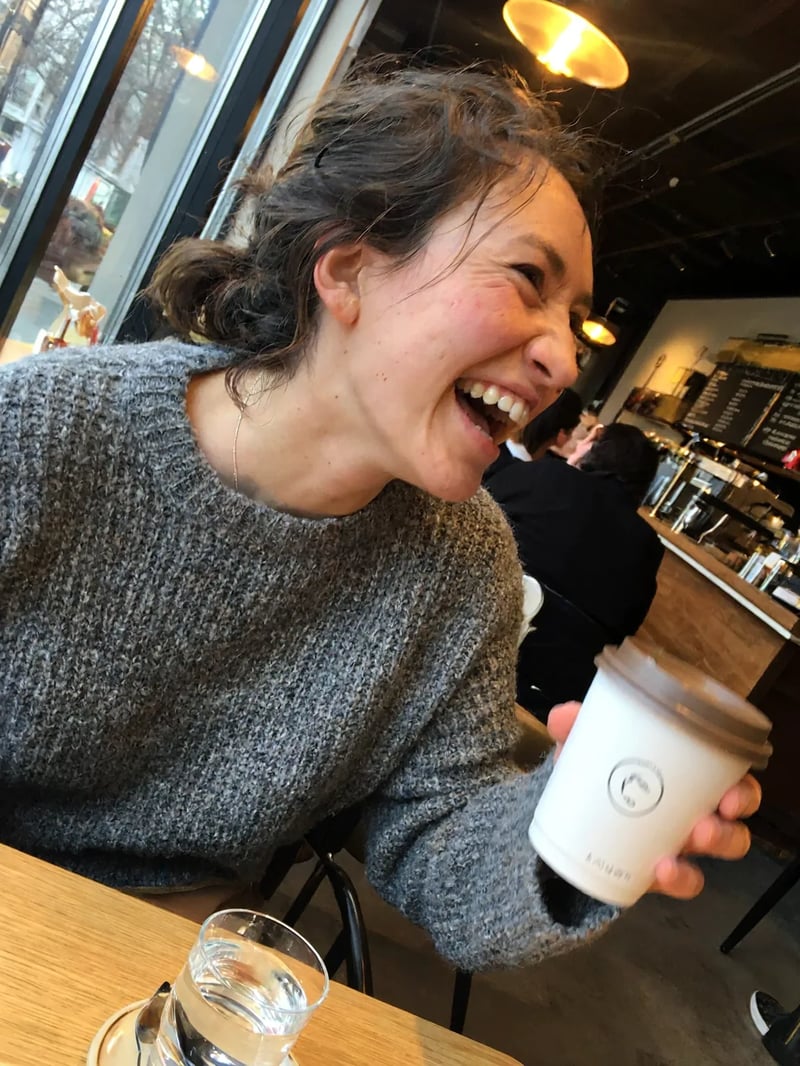
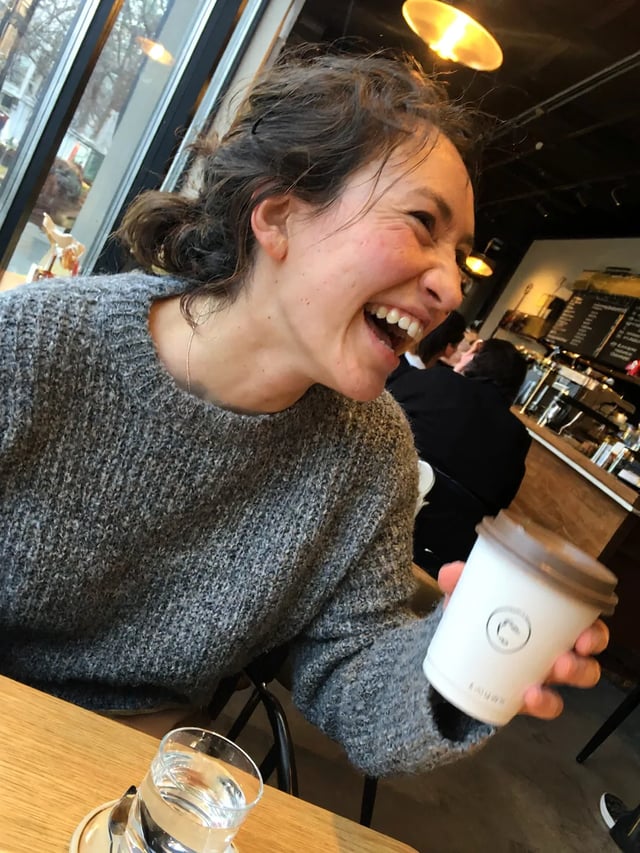
这里的 Picture 1 是用 MiniMax H3 Image 出的图 · 杯子照片和人声录音由你自己提供

示例里的 Picture 1:咖啡馆里穿灰色针织毛衣大笑的女生,用 MiniMax H3 Image 生成

文件都准备好了?

打开参考生视频,按标签的顺序添加图片、视频和音频,设好时长,把六段粘进去。

已知 vs 不声称

四种文本/关键帧形态:T2VA、I2VA、FL2VA、L2VA,对齐行固定,三个字段顺序固定(Hugging Face 指南;GitHub base-en.txt,commit 35491cd,2026-08-05)不声称视频生成器上每个控件都标了这四个缩写。贴对的形态;有静图就附上。
MiniMax H3 Max 跟随公开发布规格:统一的文本/图像/视频/音频上下文、最长 15s、最高 2K、原生立体声(发布帖,2026-07-31;开源,2026-08-03;发行说明)端到端生成耗时。没有可引用的、公开可核验的延迟数字。
托管时长是整数秒 4–15 秒;托管分辨率 768P / 2K;首末帧接受 0–2 张图(平台视频指南,查阅于 2026-08-26)不声称随手一句话每次都会被自动改写成三个字段。字段要自己写。
运镜语言是类型 + 幅度 + 速度,写在镜头句子里面;说话人用稳定的 (S1) ID;<d> 保留原句(指南 §4)没有人工过一遍,不保证包装字或口型像素级对齐。拿去用之前,放大检查文字和嘴型。
全参考(Ref2VA)是另一套六段写法(GitHub README;提示词写作 SKILL)六段在本站生成器上的实际表现。Ref2VA 示例按官方指南写成,还没在这里跑过。

FAQ

模式选好、三个字段写完了?

贴上整段,有静图就附上,留下能对上画面的那条成片。